
Tool Development

Menu Generator.
Date
2026
Client/Agency
Fake-Up
Role
Concept, Design, Development
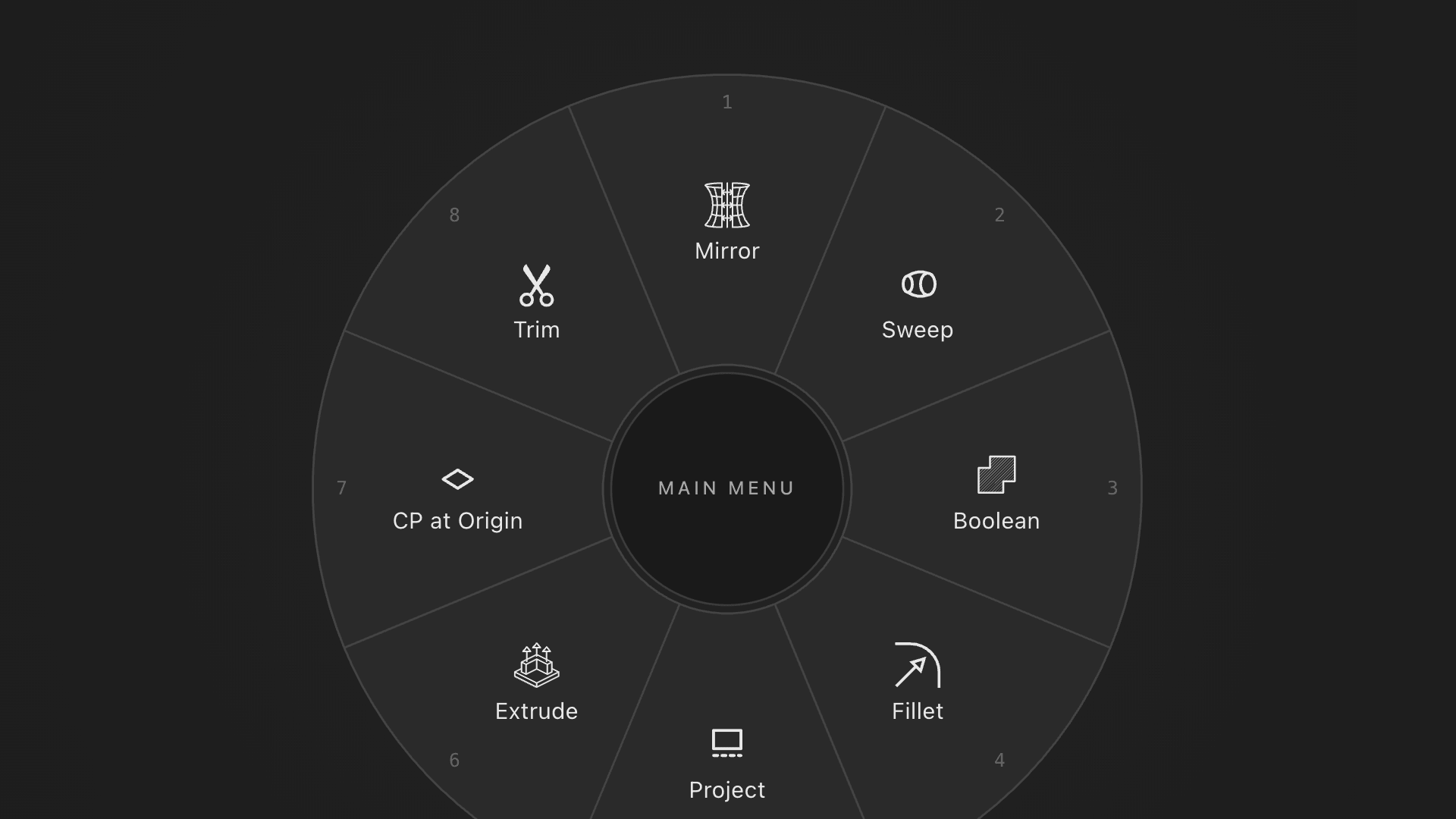
Plasticity is a 3D CAD app I use daily. One of its best features is custom radial menus you bind to a hotkey for fast tool switching while modeling. They're configured in .radial.json files and there were two ways to make them, hand-edit JSON in a text editor or pay for a native desktop app. Both bothered me. The JSON workflow is slow and error-prone, especially with nested submenus. The paid native apps each ship a separate Windows or Mac build, none are universally cross-platform, and the whole setup felt overcomplicated for a tool this small. So I built the version that should have existed, free, hosted, in the browser, no install, no account, no analytics.
How I Built It
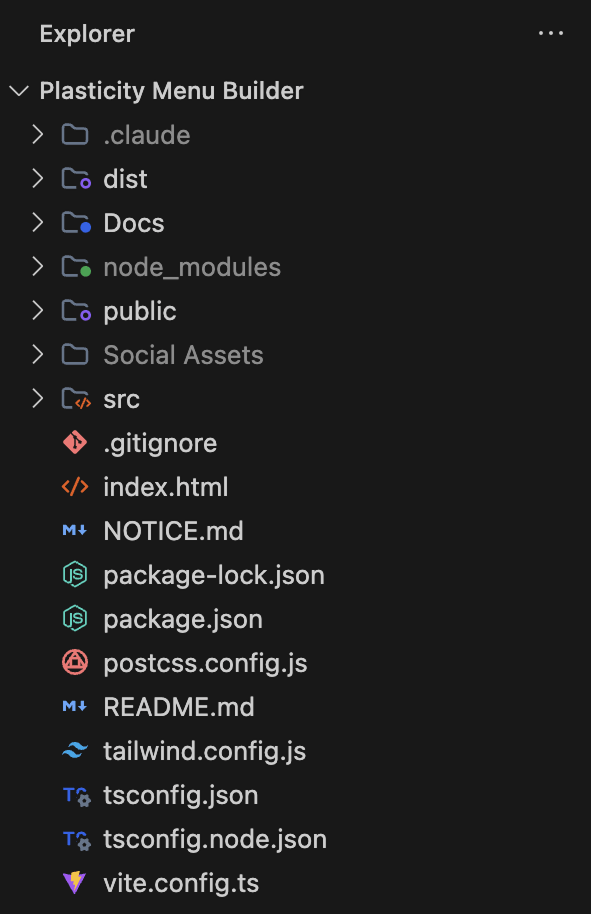
This is the part I most want to talk about because the project is also a demonstration of how I work now. I'm a designer who's been around developers for twenty-plus years. The tools changed in the last two years and now I'm the person who can take a fully-considered design from concept to shipped product, by myself, using Cursor and Claude Code as my pair. Solo, design and engineering. React, TypeScript, Zustand, Tailwind, Vite. A 350KB static bundle, sixteen commits from initial scaffold to live tool.
The discipline that makes this work isn't AI prompting, it's design rigor. I designed the whole thing first. I knew what the submenu UX needed to feel like, what the validation banner needed to surface, what the onboarding tour needed to skip. AI didn't make those calls, twenty years of doing this made those calls. The AI made it possible to ship them without a developer to hand off to.
The Design Bet
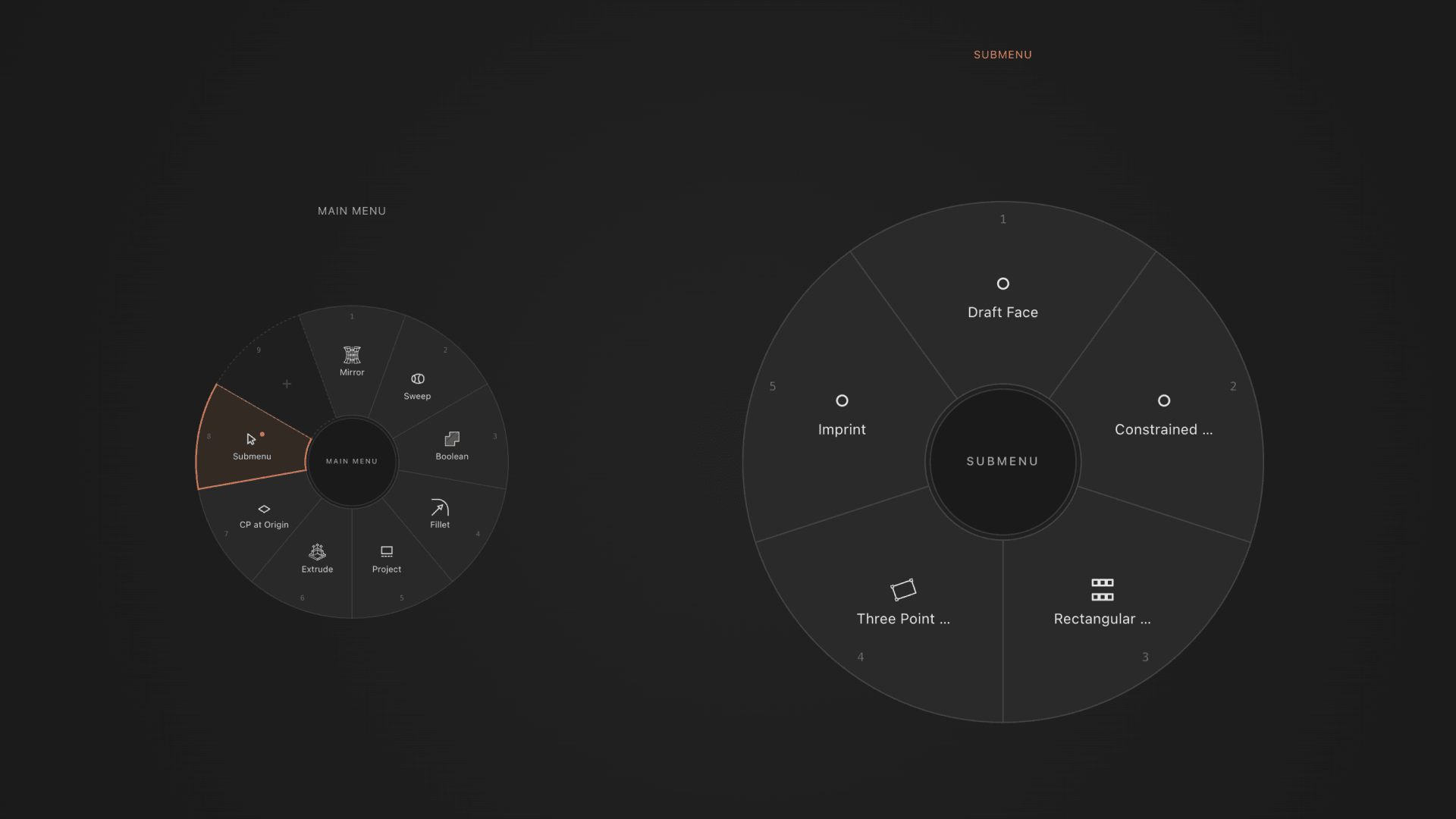
Every competing tool hides submenus in the command list. You scroll past the regular commands, find a small "Submenus" group, drag the right entry onto a wedge, then switch the active menu and lose your context to edit it. The parent-child relationship is invisible. You're navigating a tree but the tree doesn't show itself anywhere.
The fix wasn't to improve their pattern, it was to treat the parent-child relationship as the central visual problem of the editor. The submenu element comes out of the command list and becomes a prominent tile pinned at the top of the left rail. Drag it onto a wedge and three things happen atomically, a new submenu is created, the wedge becomes a link to it, and the editor navigates into the submenu with the parent wheel still visible beside it. Both wheels are editable. Nest two deep and you see three wheels at once, grandparent, parent, active.
I didn't arrive at this by sketching the perfect solution. I built it, used it, found the parts that didn't feel right, rebuilt it. The first version had tabs at the top of the page, one per top-level menu. Lots of precedent (Figma, VS Code, browsers). I shipped it behind a feature flag, used it for a day, threw it out. Tabs plus breadcrumb plus ancestor wheels was three competing horizontal navigations, and the mental model of "each project is a tab" added overhead instead of removing it. The answer was simpler, indent submenus under their parent in the existing outliner. I deleted the tabs code and shipped the tree. The judgment wasn't in the first idea, it was in being willing to throw out a feature I'd already built.

Designs
The Outcome
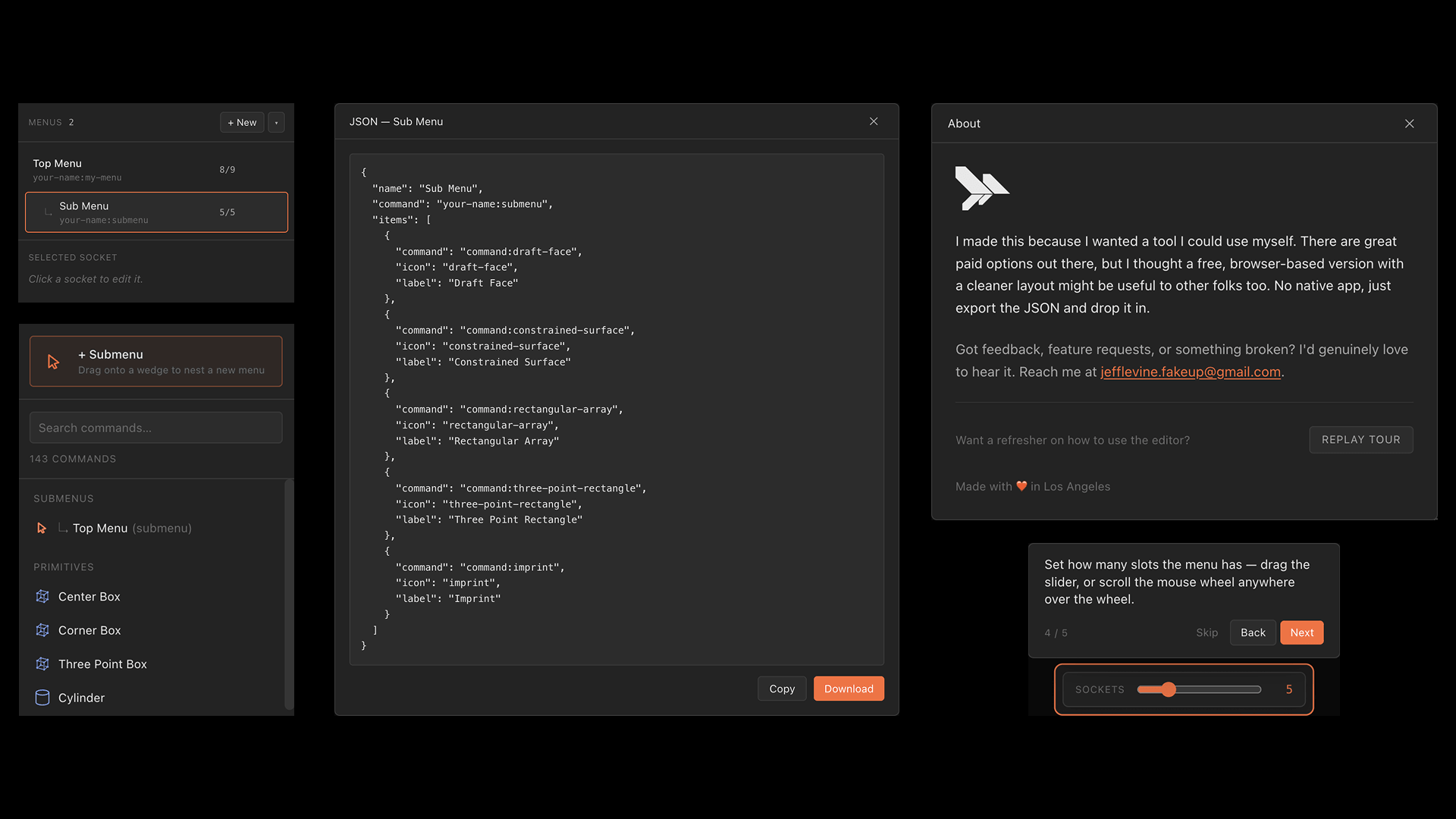
The tool is live, free, open source, MIT licensed. No install, no account, no analytics, no cookies. Open the URL, build a menu, drag the file into Plasticity.
I posted it to the Plasticity Discord. Real users picked it up immediately, are using it, sending feedback, asking for features.
That's the part I'm proudest of. Not the tech stack, not the submenu UX, not the bundle size. The fact that I saw a gap, built the thing, shipped it, and people I don't know are using it in the workflow it was built for. That's the loop I want to be in.
Jeff Levine
Fake-Up
Designer, Art Director & Creative Director