
Product & Experiential

Tesla Fob.
Date
2026
Client/Agency
Tesla & Fake-Up
Role
Concept, Product, Space & UI Design
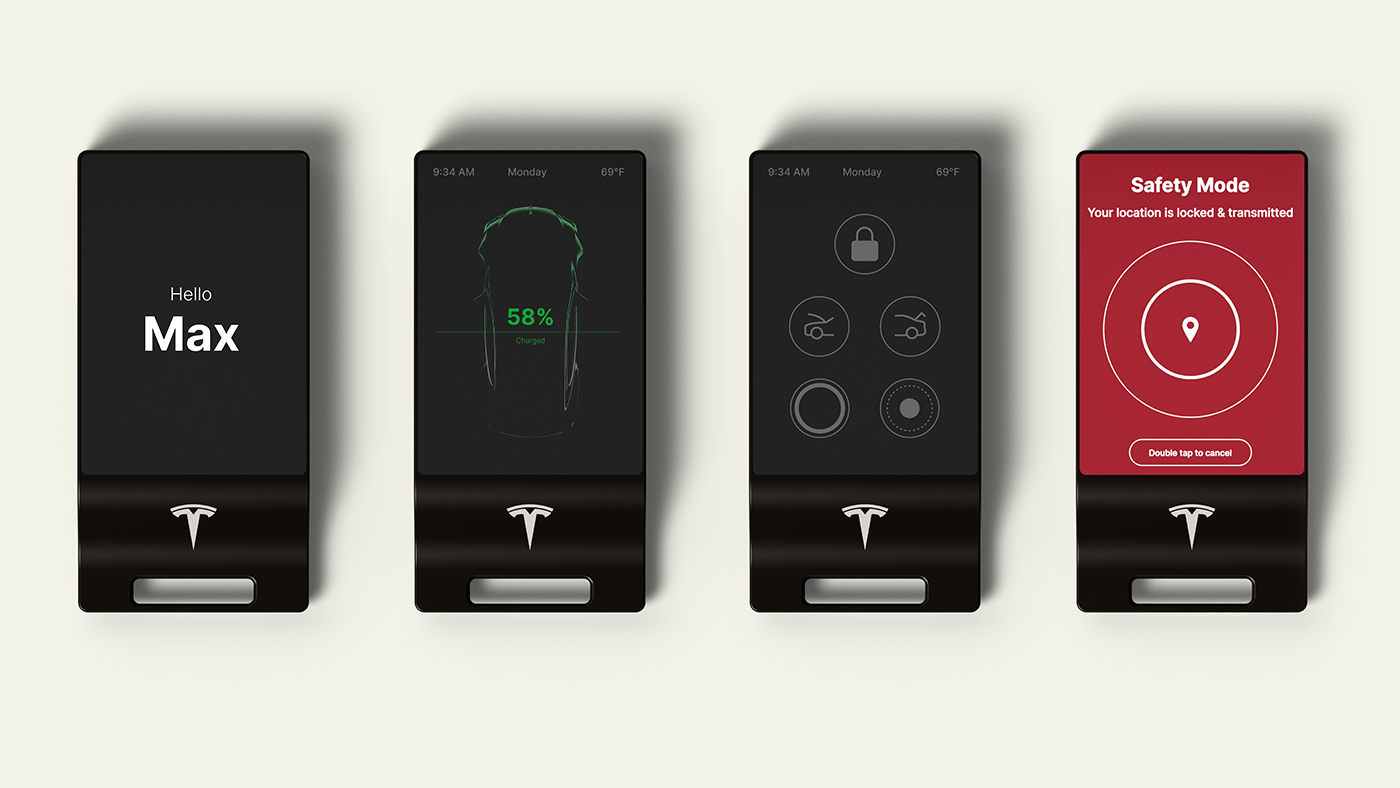
I own a Model S. Tesla made the phone the primary key and demoted the physical fob to an optional accessory you have to seek out and pay for separately. That's not the same as eliminating it, but it tells you where it sits in their thinking. I understood the decision, the app is powerful and the phone is always with you. But something was lost in that trade, and I kept running into the moments where I felt it. Hands full crossing a parking lot. About to open the frunk with bags in both arms. Getting in on a cold morning wanting to know the charge before I'd done anything. None of those are moments where pulling out a phone, opening an app, and waiting for a Bluetooth connection is the right tool. They're moments that belong to a dedicated physical object with a glanceable display.
This spec asks what it would look like if someone took that gap seriously.
The POV is specific: the app is for when you're thinking about your car. The fob is for when you're with your car. Those are two completely different contexts and this project is about the second one.
The Fob
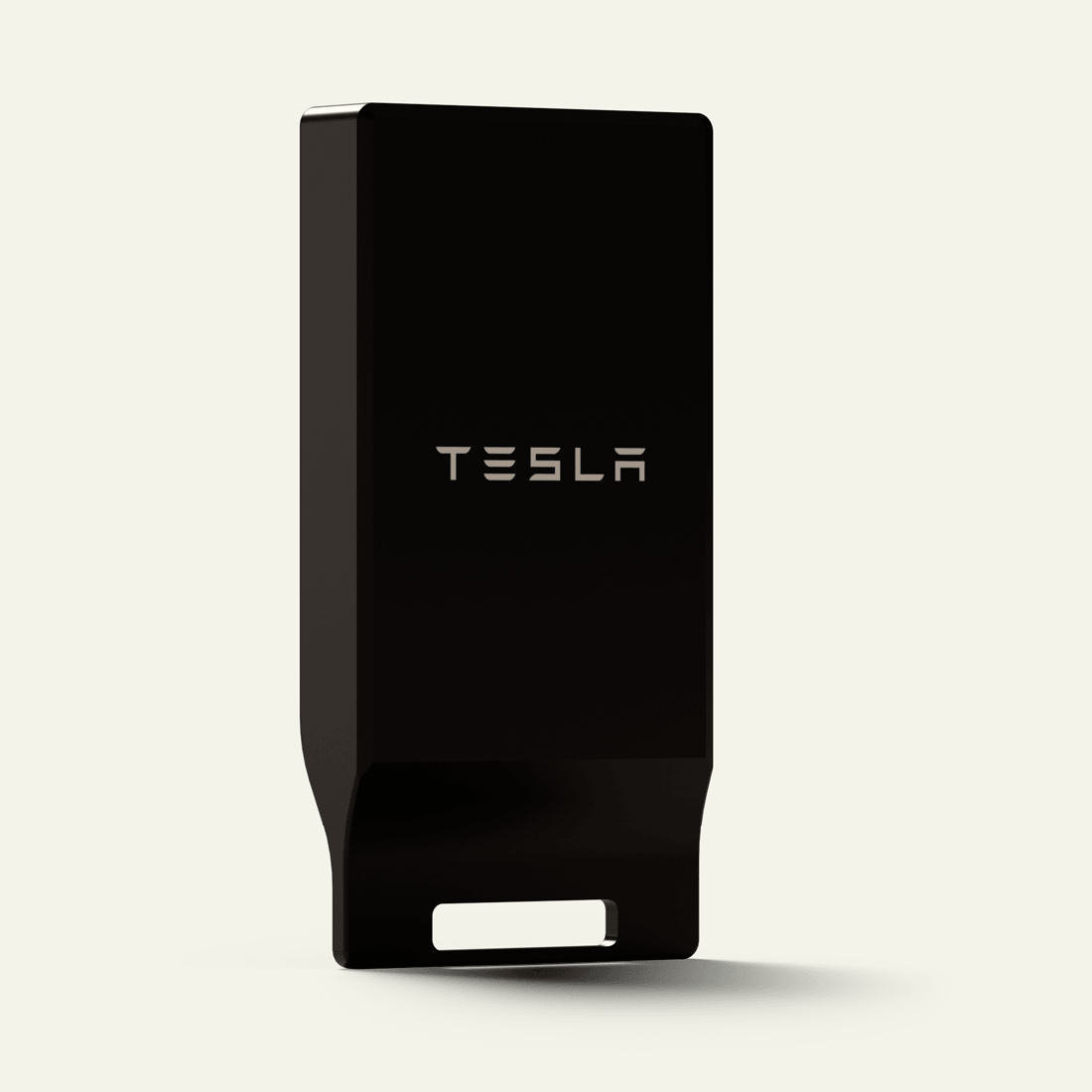
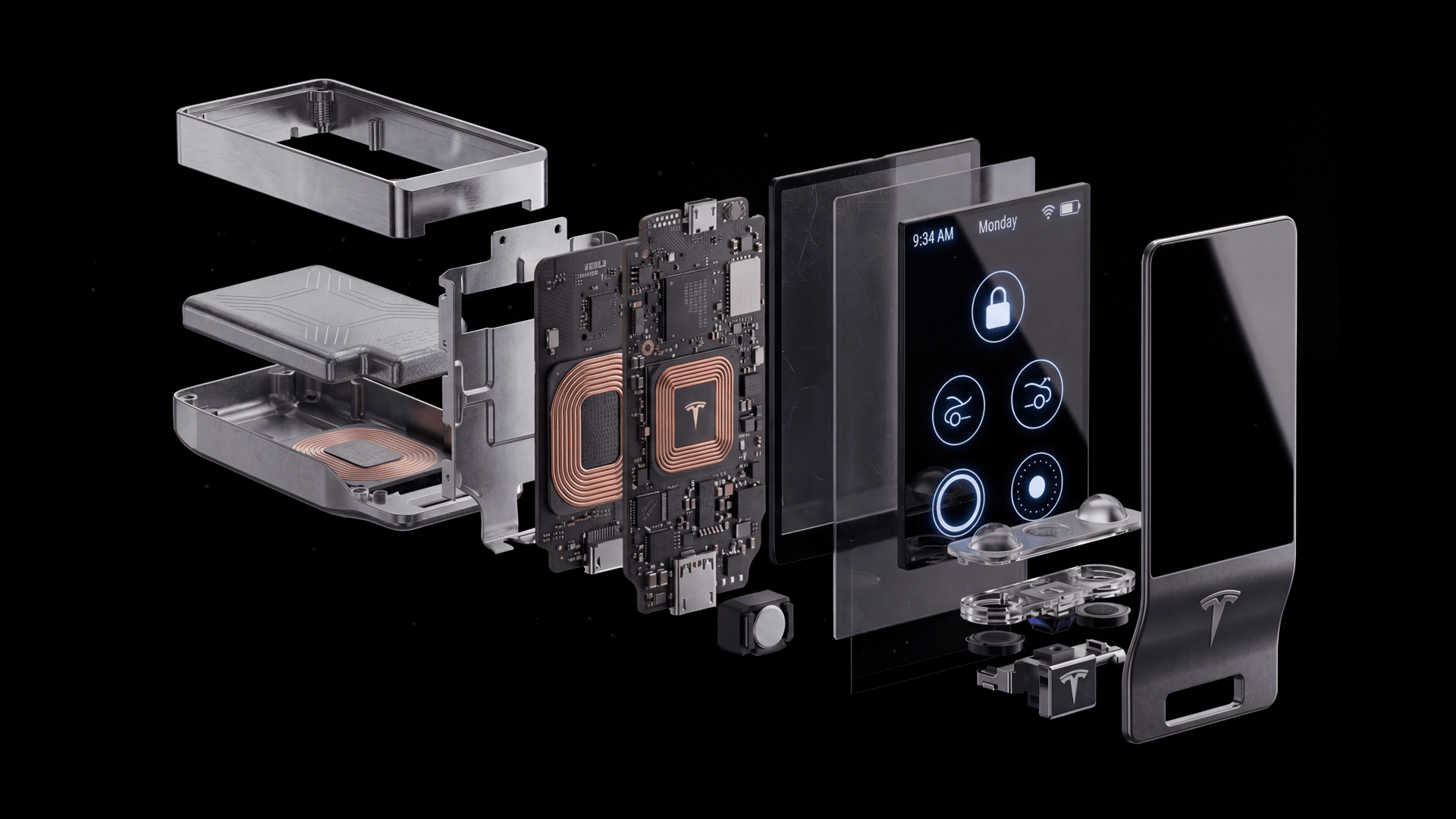
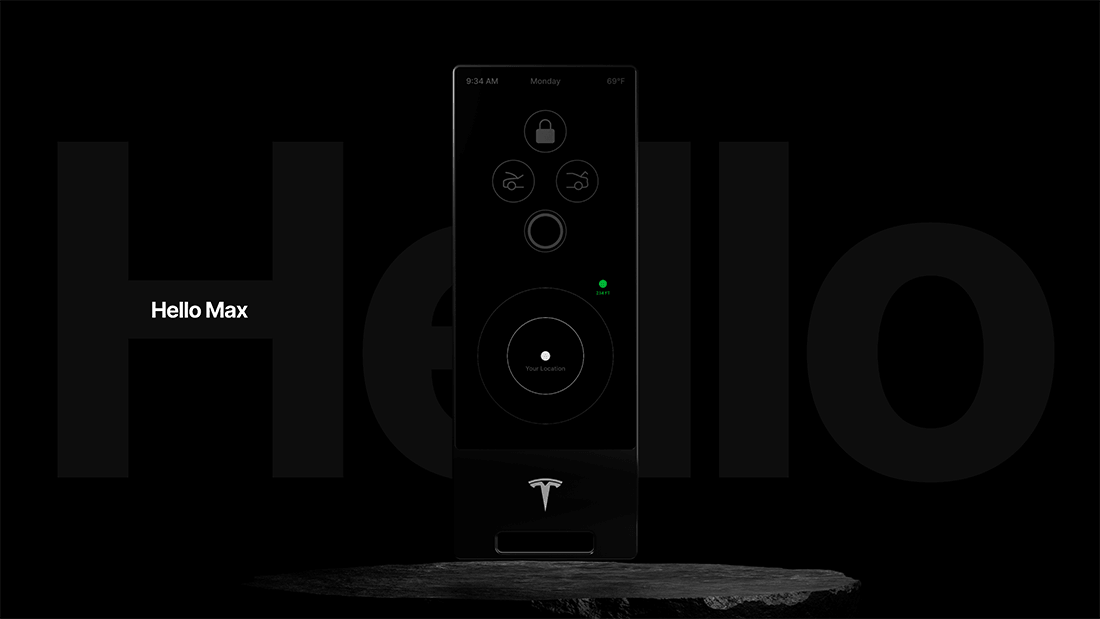
The physical form is a slim rounded rectangle, longer and thinner than phone proportions, with a frosted glass or ceramic OLED face and haptic touch zones instead of physical buttons. The form language is deliberately Tesla, the same material restraint and weight that defines the Model S key card, resolved into something you'd actually want to carry. I modeled the physical form in Fusion 360 then moved into Cinema 4D for materials, lighting, and hero renders.
The BMW Display Key exists as a reference point and a counter-argument. BMW introduced it in 2015, a physical fob with a 2.2" touchscreen. Reviewers called it technology nobody asked for. It was bulky, tried to be a tiny phone, and succeeded only at that. This spec takes the opposite position at every decision.
The guiding question for every screen was: is this a glance, or is this a task? Glances belong here. Tasks belong on the app. That filter cut the feature set from eight screens to five plus one entry animation, and it made every remaining screen stronger for it.
The UI
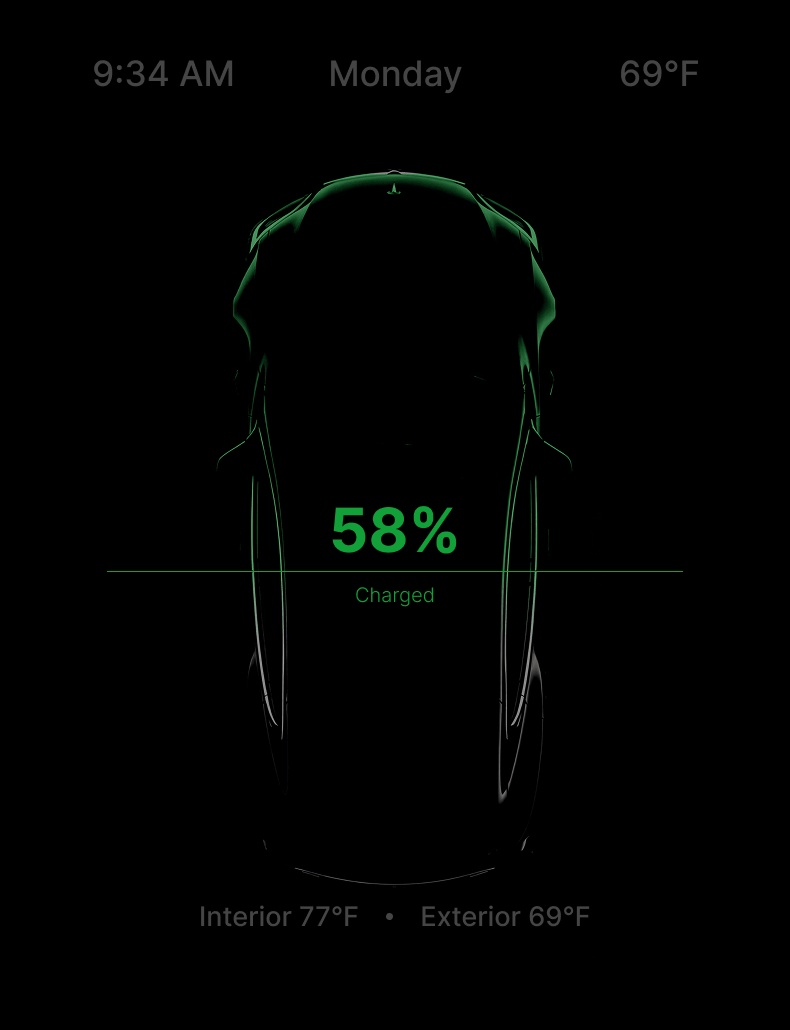
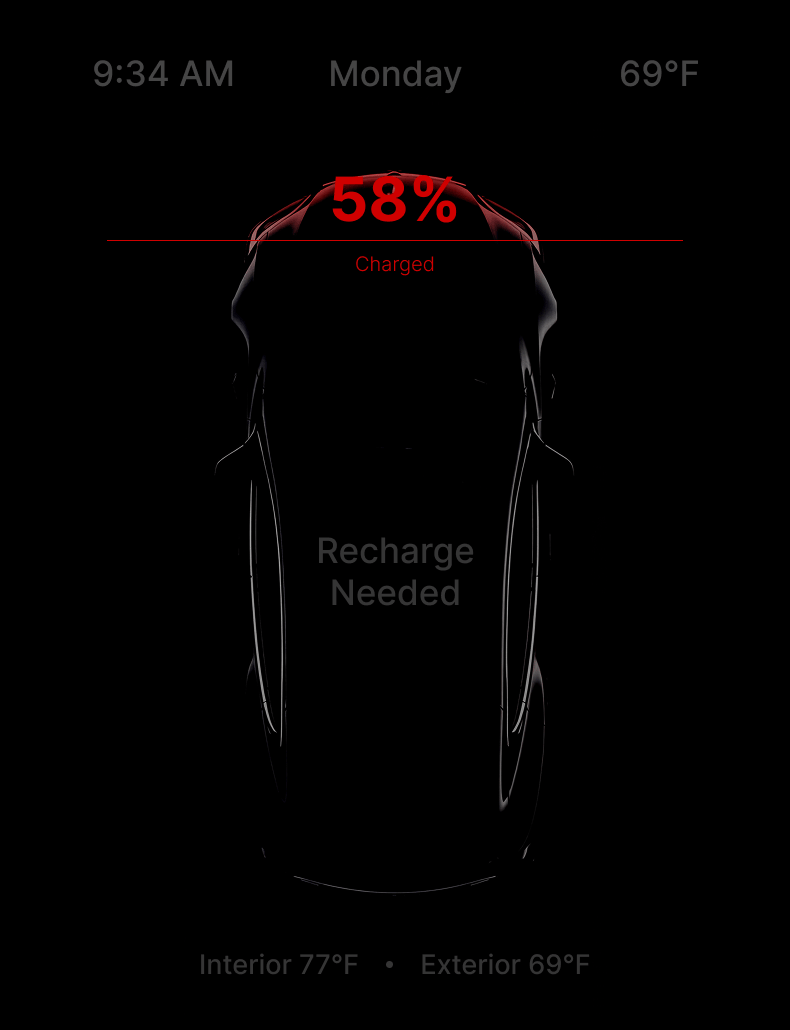
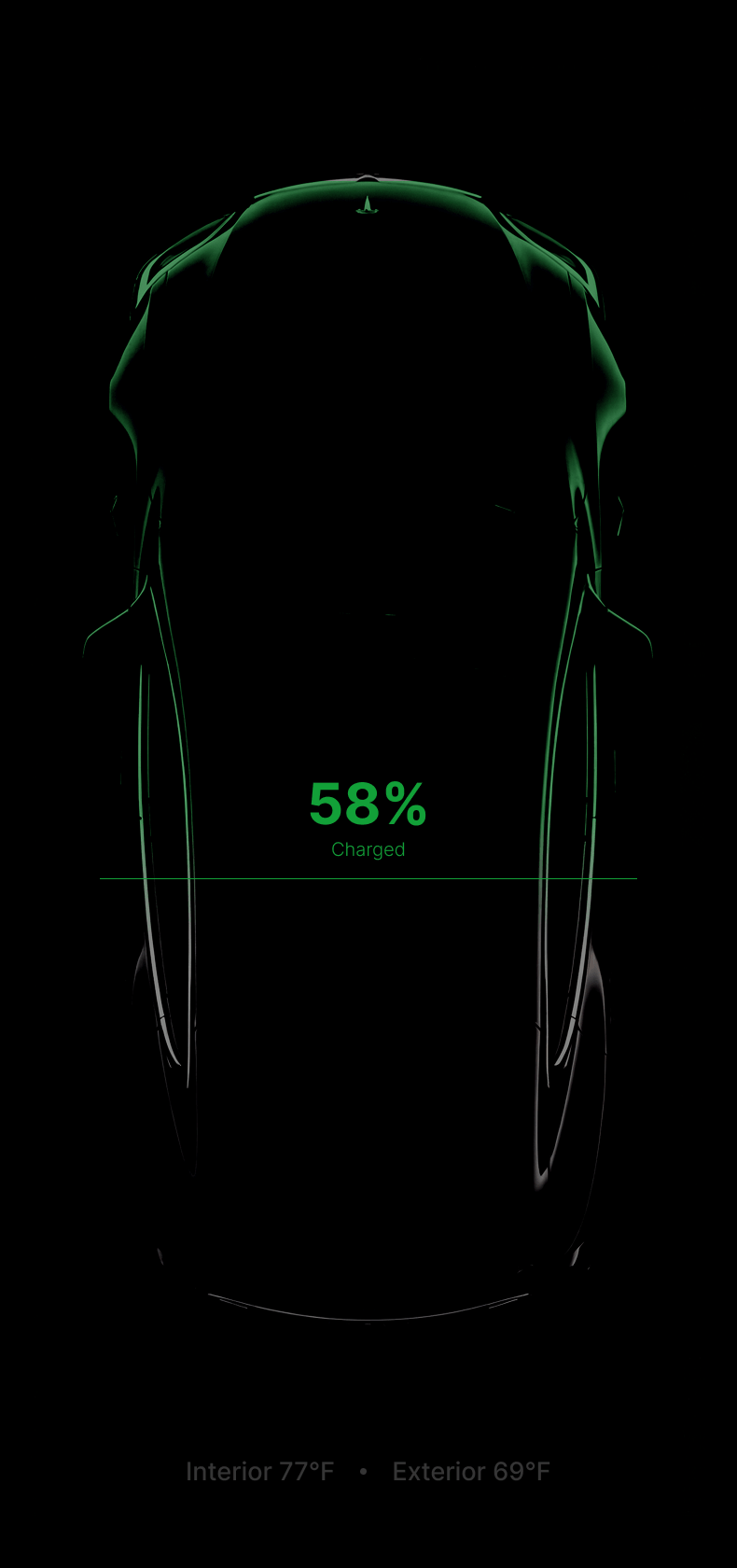
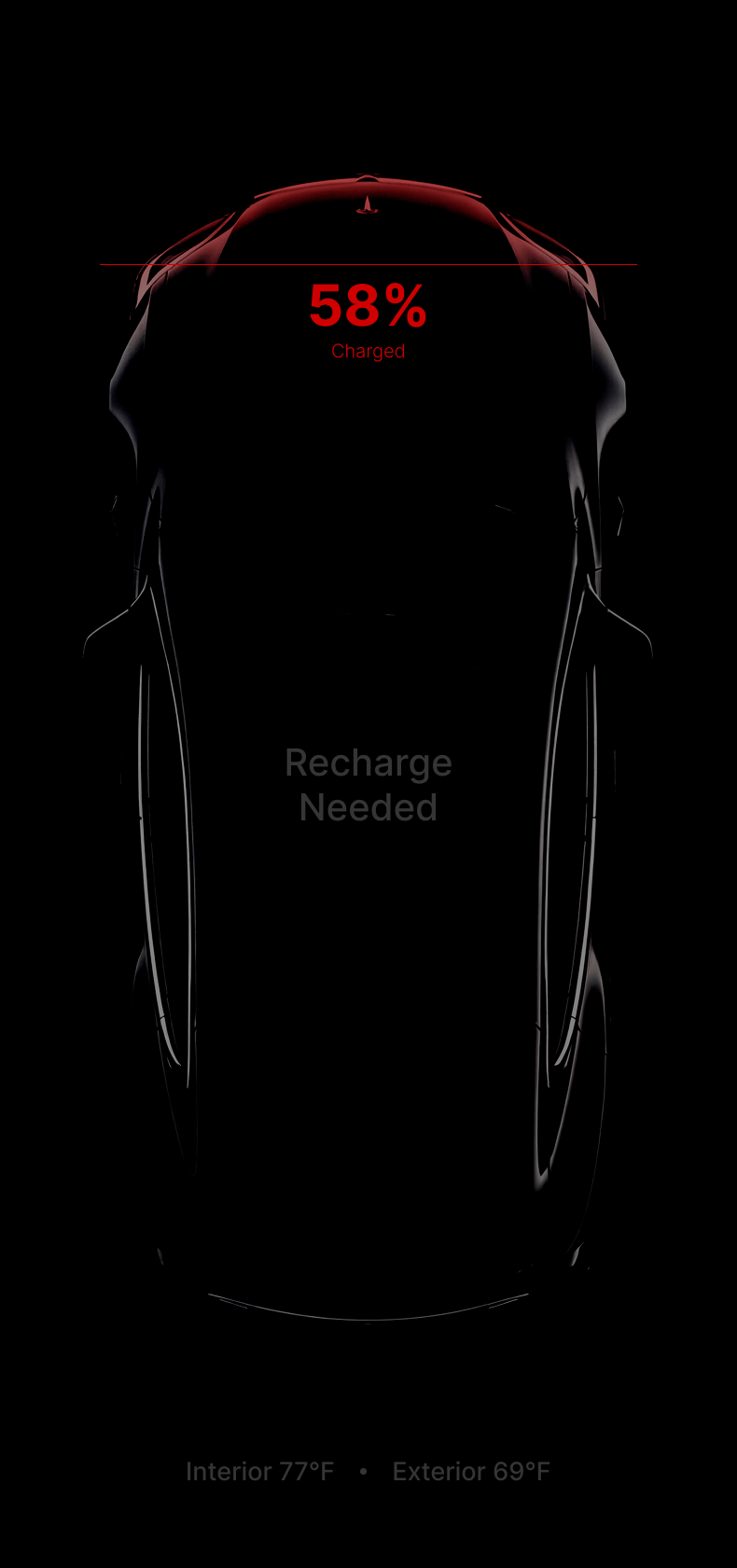
The wake animation is the most important sequence in the piece. On pickup, the Tesla silhouette animates in, the charge percentage appears as part of the reveal integrated into the silhouette, and cabin temperature surfaces as a secondary element at the same moment. One glance. Everything you need before you've touched a button. That's the thesis of the fob made visible.
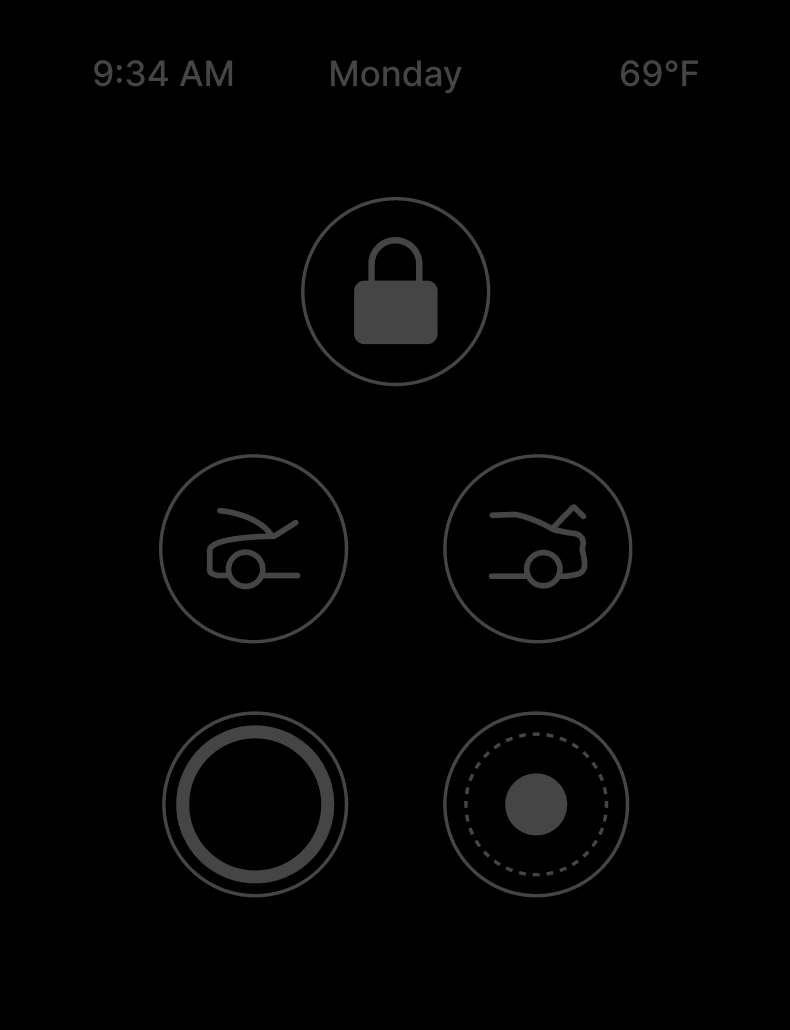
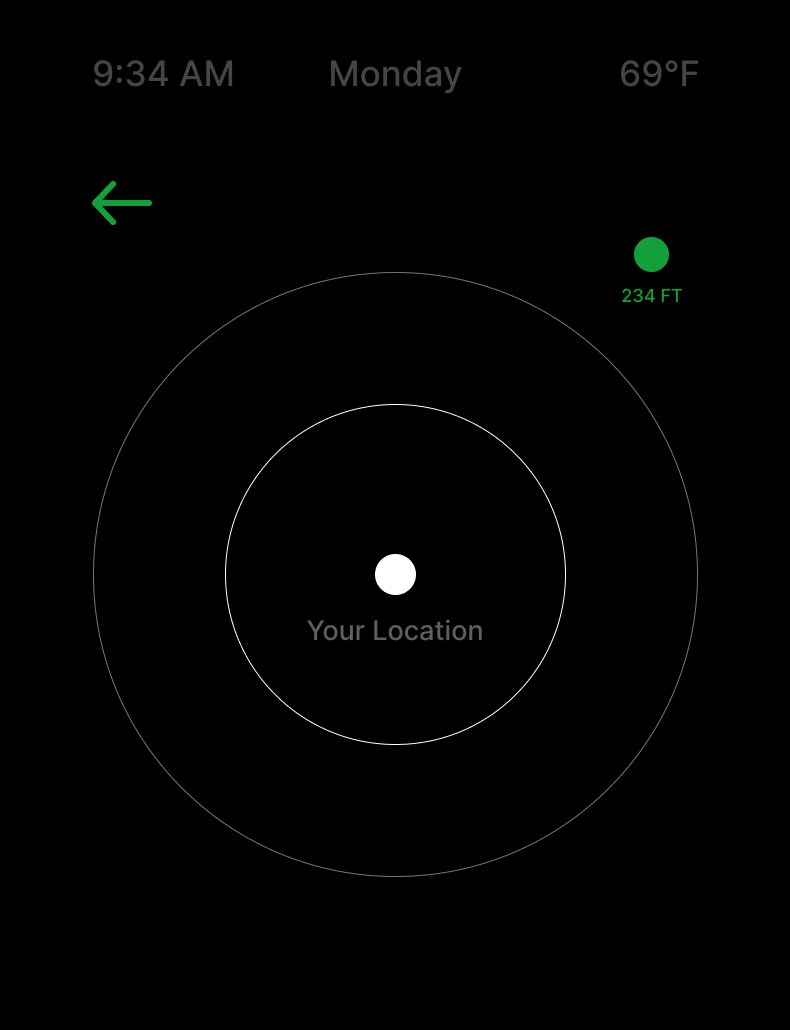
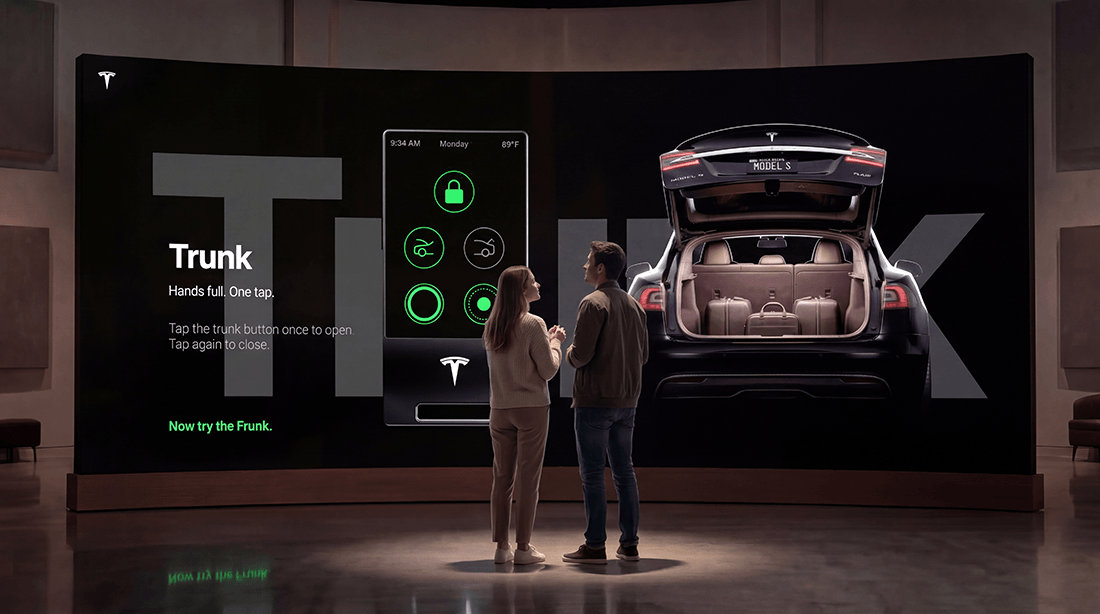
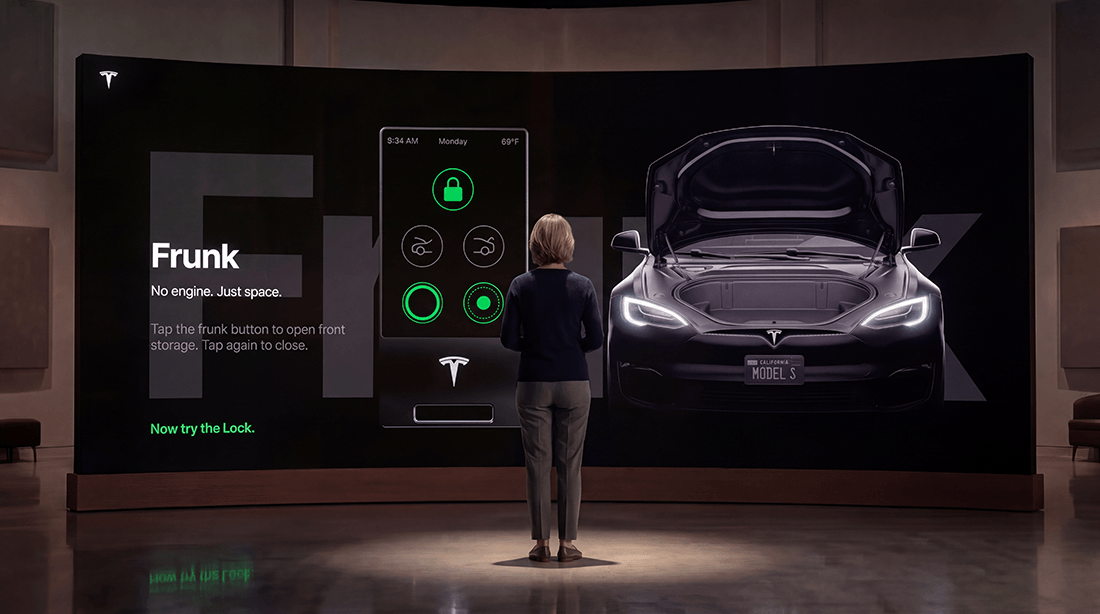
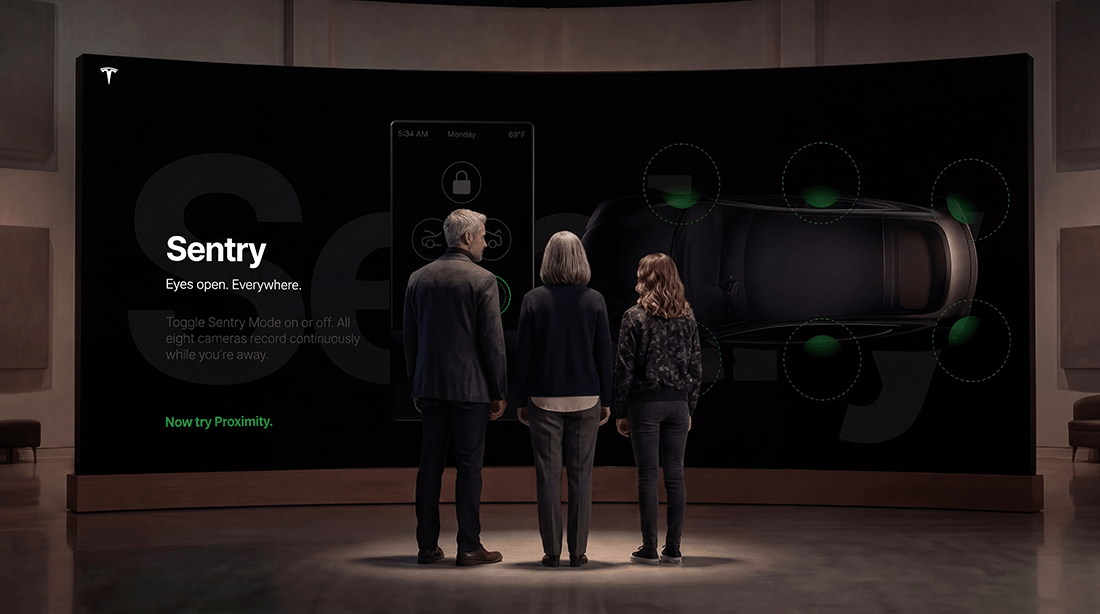
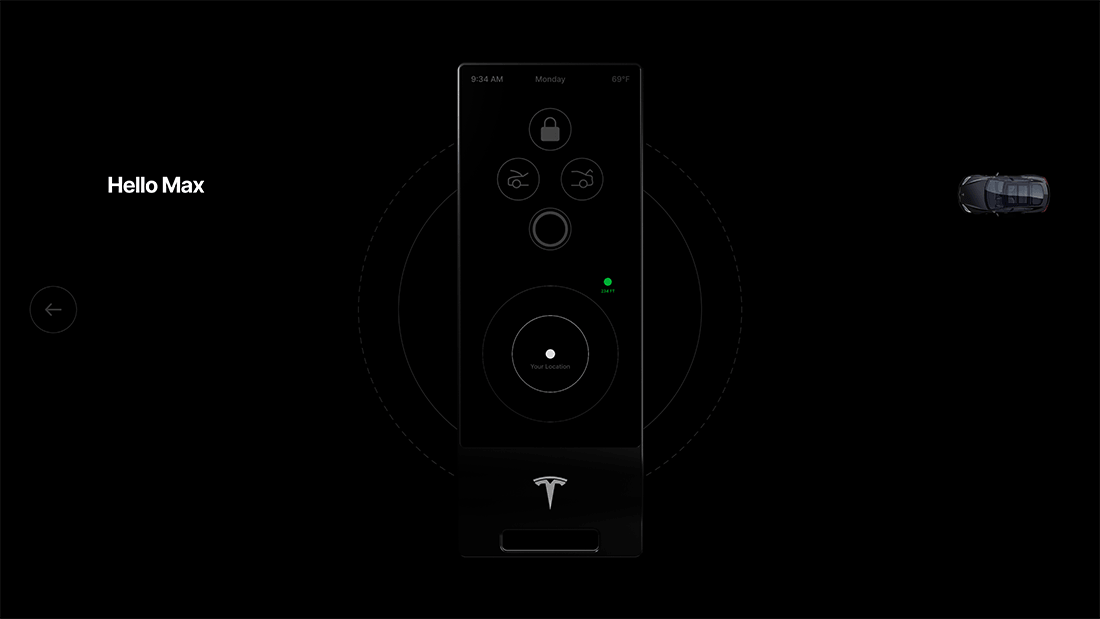
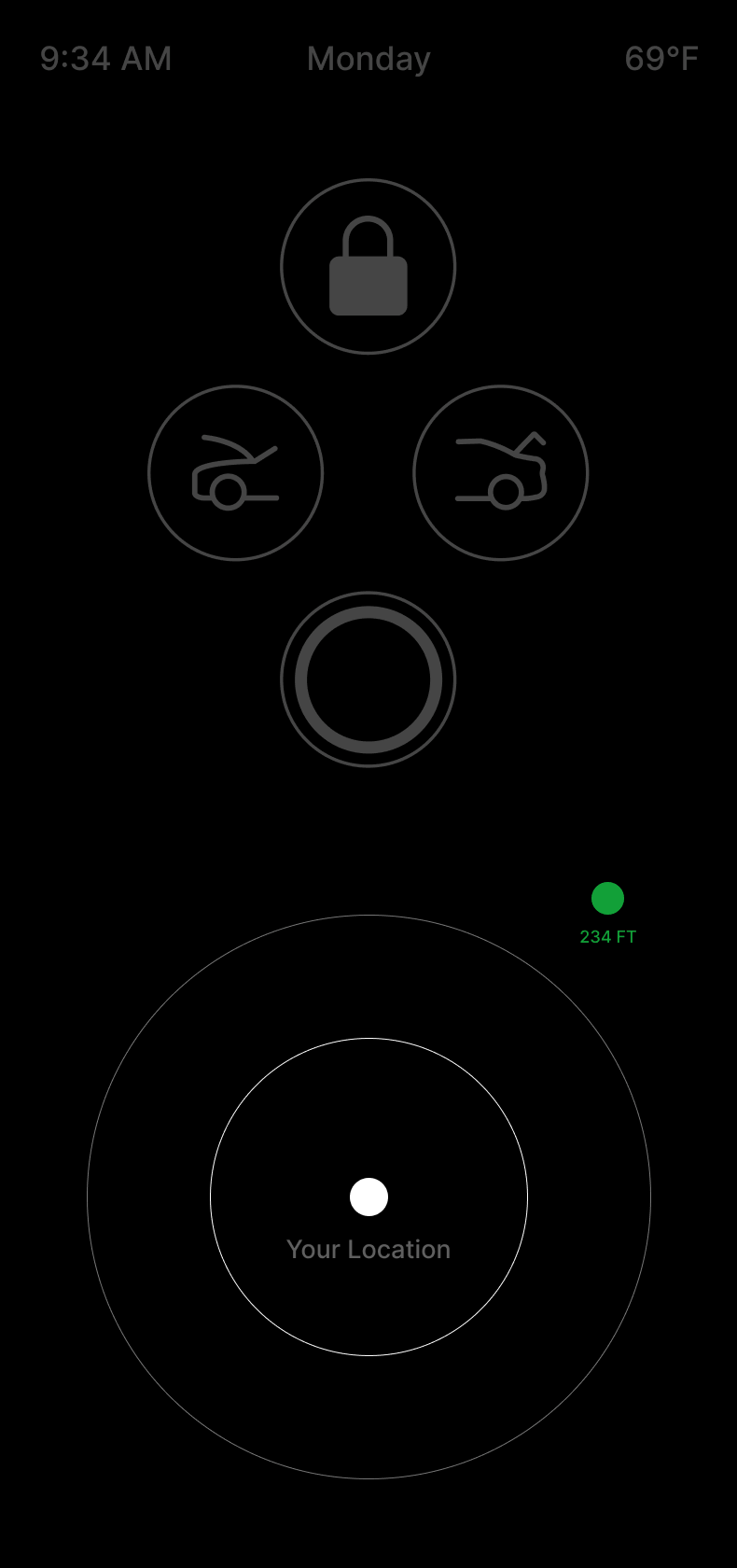
The five screens that earned their place: the home and idle state showing locked status, charge, temp, and time. Lock and unlock, the core function, must be instant. Frunk and trunk on one screen, genuinely fob-appropriate, awkward on a phone mid-groceries. Sentry mode toggle, a quick binary, perfect for a fob. The proximity radial pulse, the most original feature in the set, concentric rings showing the car's location as you approach, something the phone was never built to do.
And Guard.

Tesla Fob UI

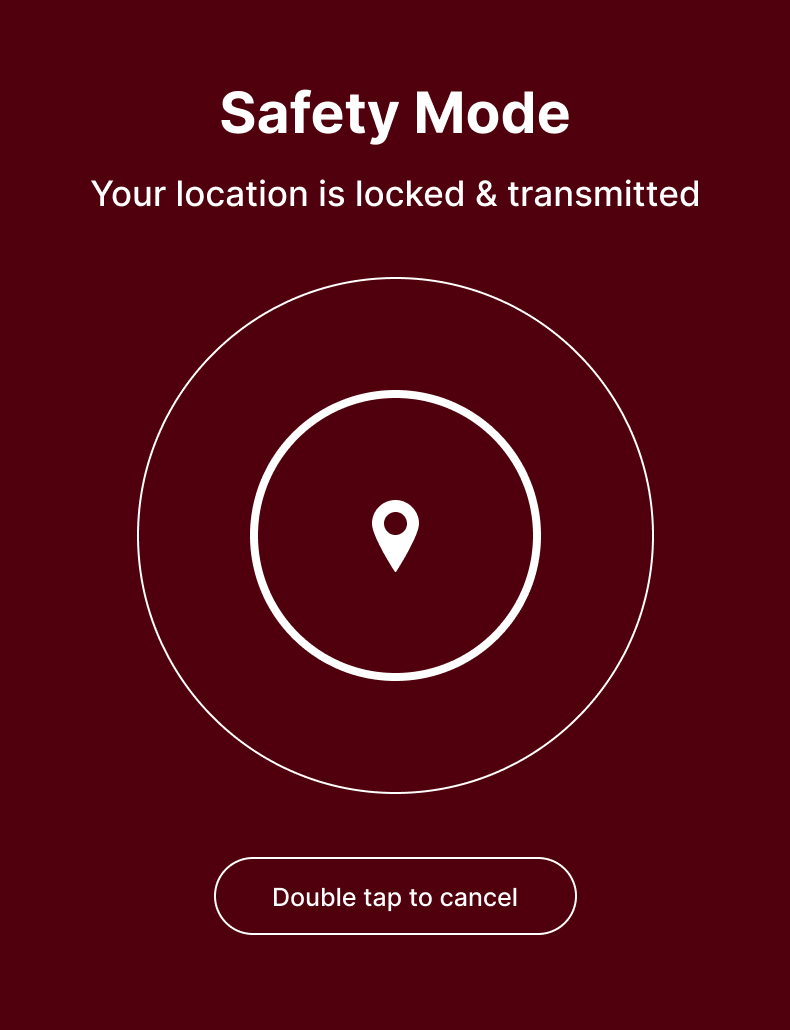
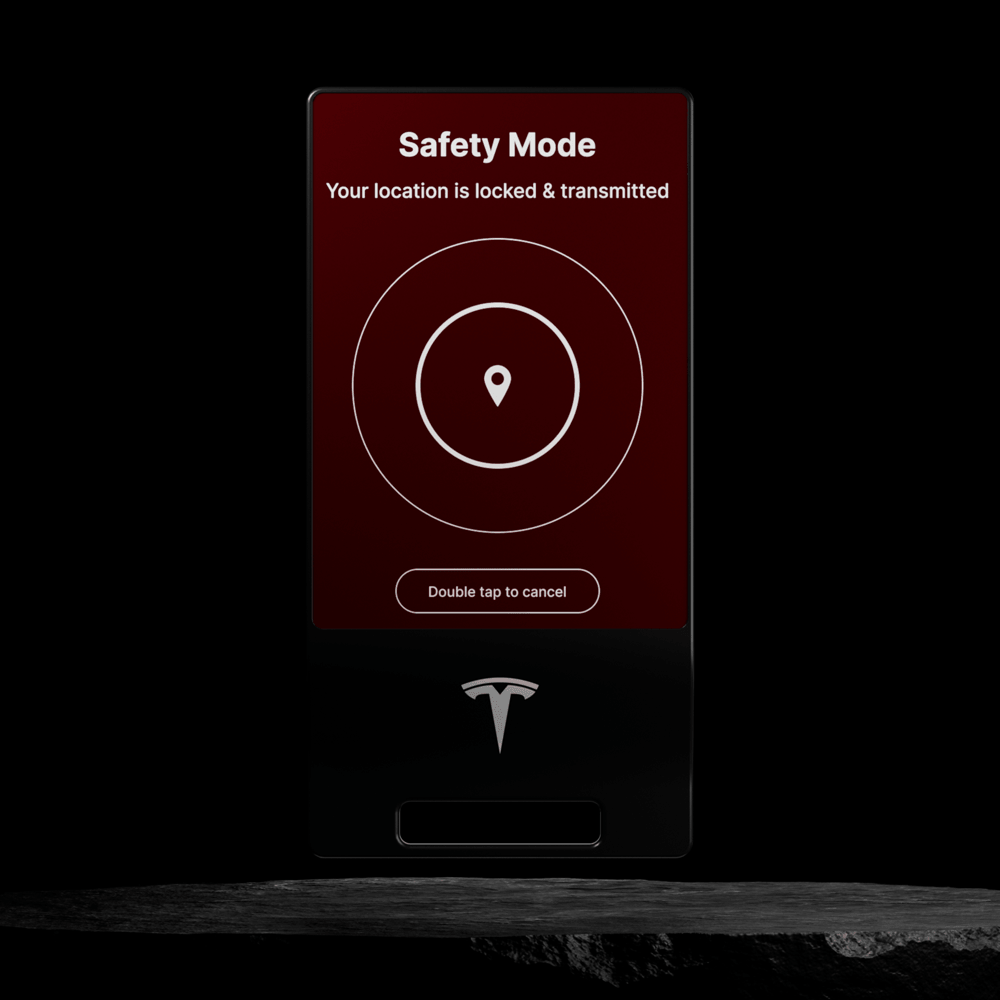
A squeeze-and-hold safety mode that arms the car's exterior lights into a slow visible pulse and sends a trusted contact your name, timestamp, and live location pin. Not a 911 replacement, a smarter first response for the moments that actually happen most. Walking alone. Feeling uneasy. Wanting someone to know where you are. The interaction design problem was the cancel UX, it needed to be easy enough to execute quickly but hard enough that shaking hands couldn't trigger it accidentally. Two deliberate taps. On cancel, the trusted contact gets an automatic all-clear with a timestamp so they don't need to wonder.

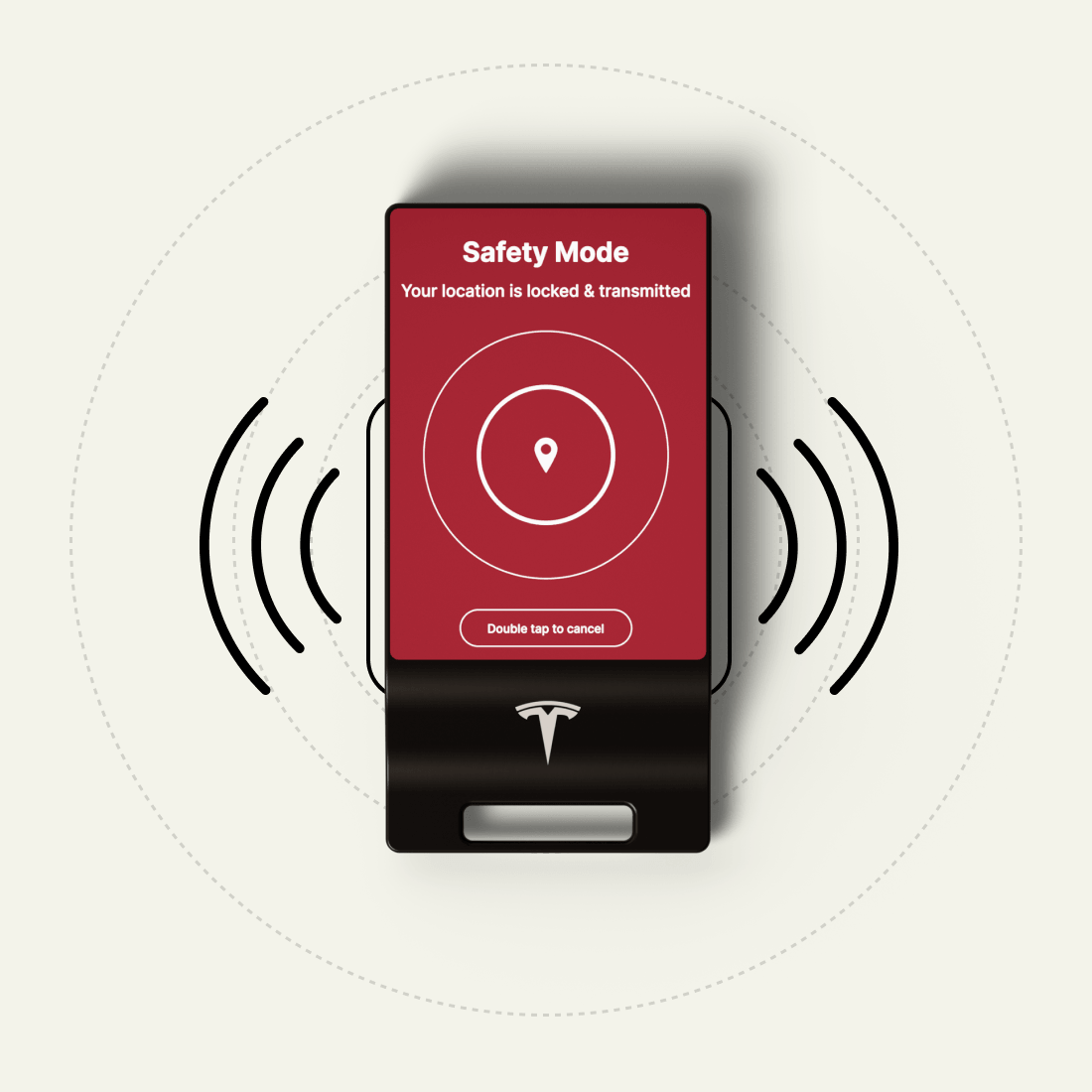
The activation tone and the armed state animation were designed together, not separately. Sound is doing two jobs at once, confirming to the user that it worked without requiring them to look at the display, and signaling to anyone nearby that something has been activated. The tone direction is purposeful and controlled, consistent with Tesla's own sound language. Not shrill. Something that communicates authority without alarm.
The Wall
As the fob design developed, something became clear. This object needed a moment. Not a manual, not a walkthrough video, a real introduction that let someone discover what it does rather than be told. That thinking led to something bigger: what if the fob's first use was to make a room come alive?
The delivery wall experience is a curved LED installation inside Tesla delivery spaces. When a customer receives their vehicle, they're handed their fob and invited to step into the space alone. The wall is dark. As they approach, it wakes, a Tesla silhouette fading in from black at full height, the same animation as the fob itself but at a scale that fills the room. Text appears: press any button to begin
Wall Designs
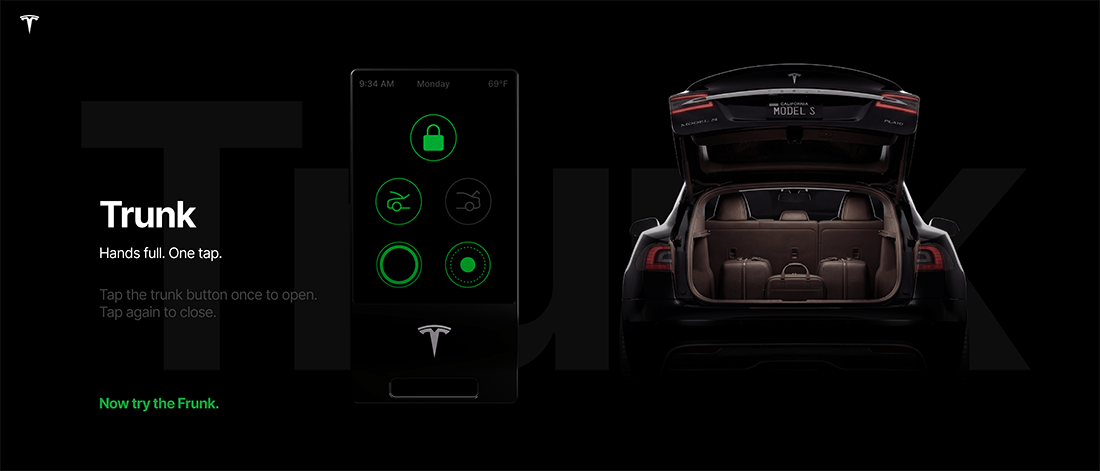
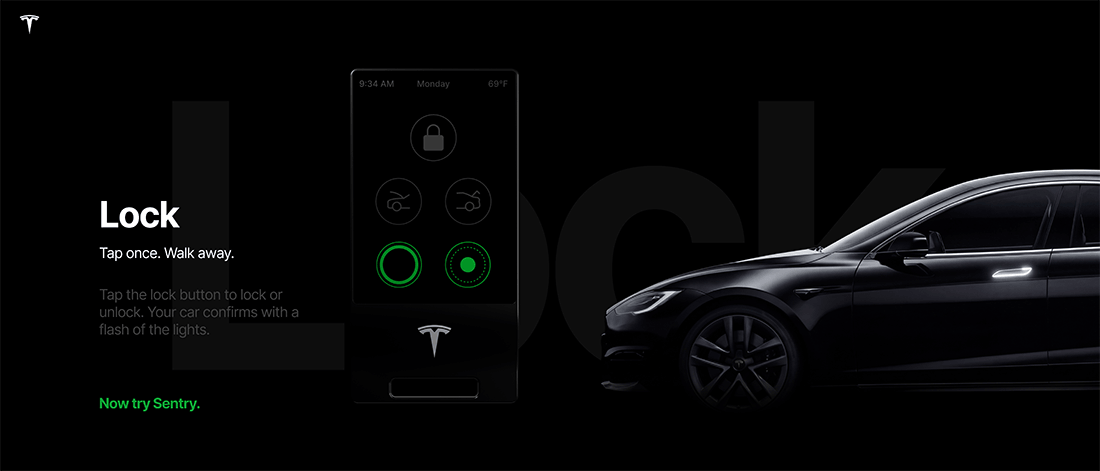
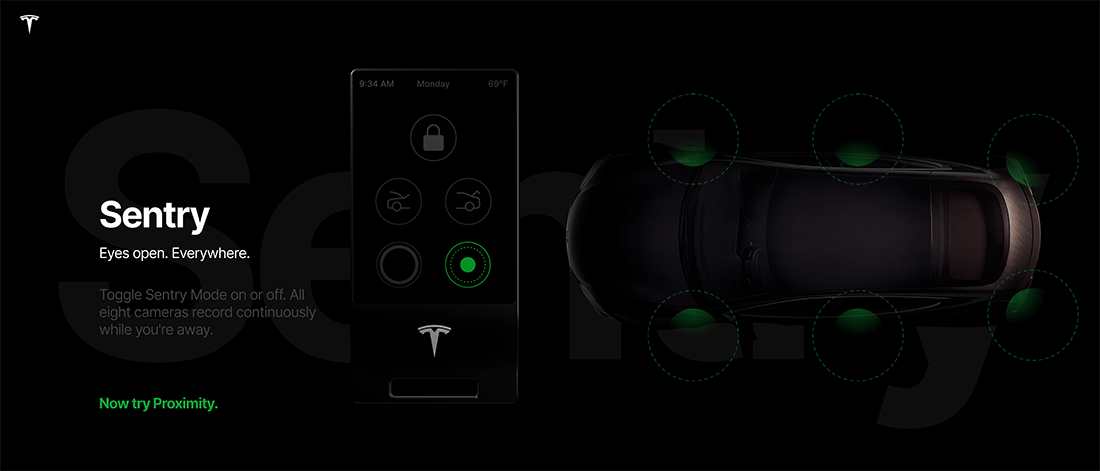
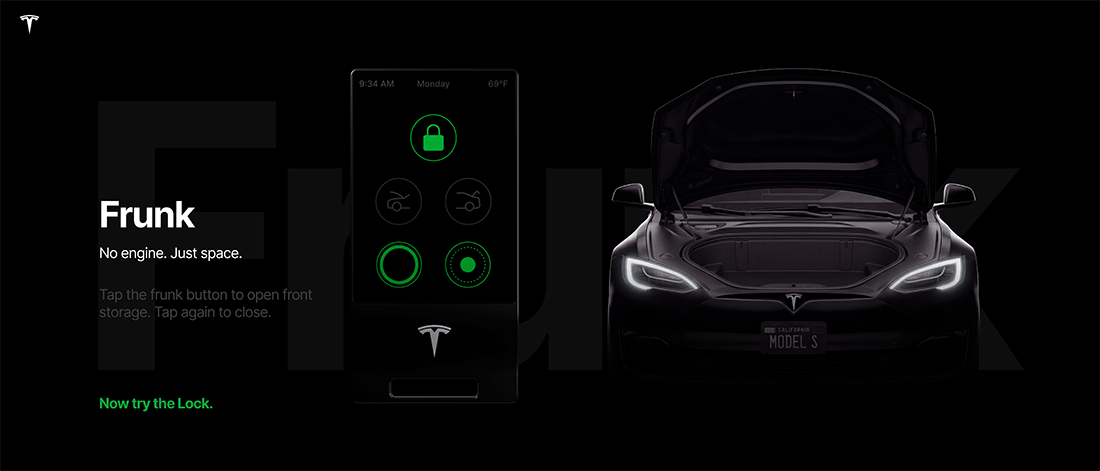
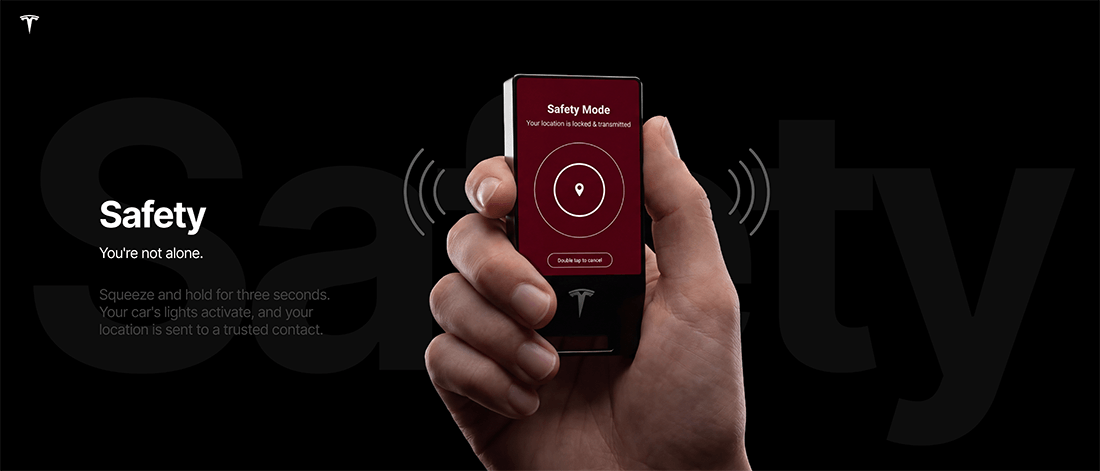
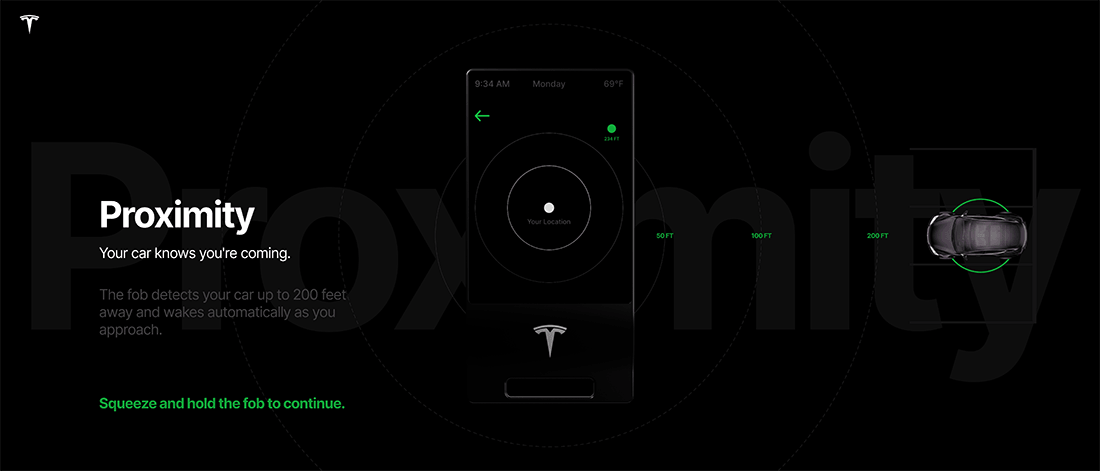
Every button press on the fob fires a corresponding animation on the wall. The customer is not watching a presentation. They are operating the wall with the object in their hand.
The experience is structured as six acts in deliberate sequence, starting with the most familiar and ending with the most extraordinary. Lock and unlock first, builds confidence. Frunk and trunk, surprises people who didn't know the front cargo existed. Sentry mode, a colour register shift communicates the change before a word is read. The proximity pulse, full wall, concentric rings expanding outward, the hero animation, designed for room scale from scratch, not a phone animation blown up. And Guard, the only act with audio. The wall dims before it begins. The activation tone plays through physical room speakers, the only sound in the entire experience. Five acts of building trust earn the right to thirty seconds of the customer's full attention.
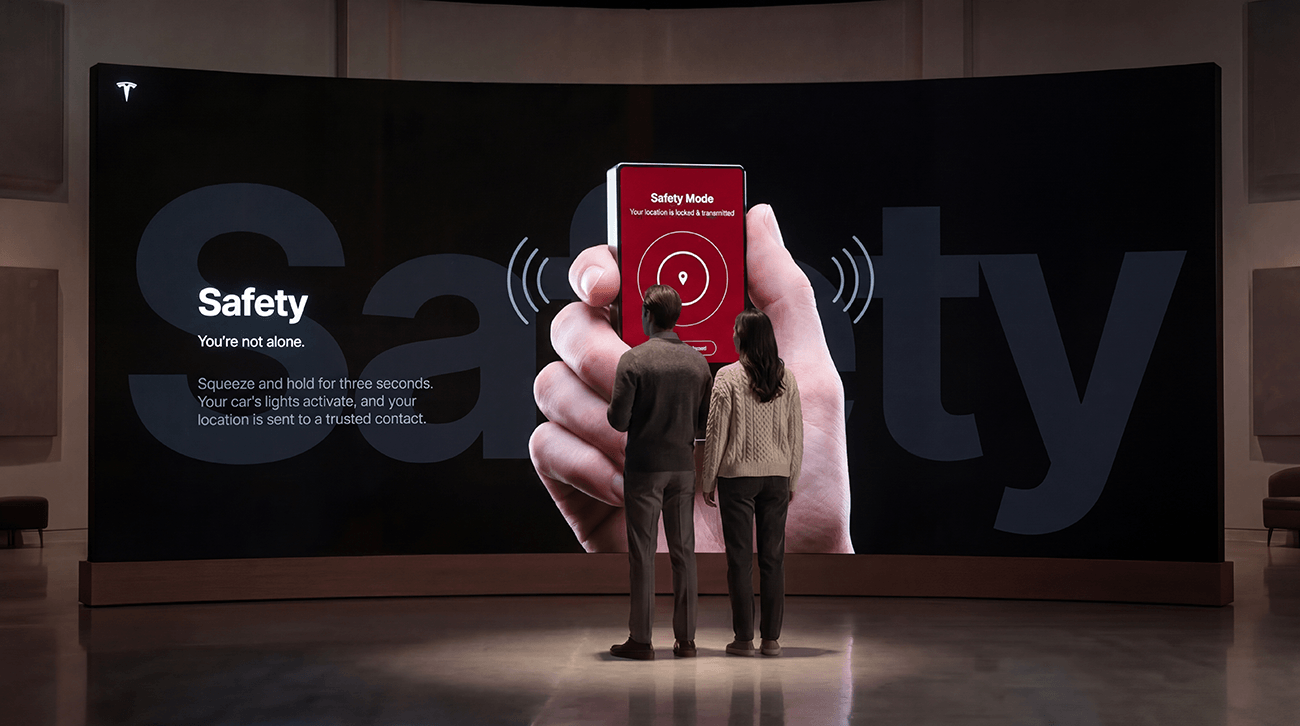
The haptic zones on the fob illuminate in sync with the wall animations. When someone presses lock and the car graphic locks, the fob pulses in their hand confirming the connection between the object they're holding and what they're seeing at scale. That feedback loop is the detail that makes the system feel designed rather than assembled.
The fob talks to the wall via Bluetooth Low Energy, the same mechanism it uses to detect proximity to the car. A receiver in the display system listens for the signal. From the customer's perspective the mechanism is invisible. They press a button and the wall responds.
The Project
The fob started as a product problem. A specific gap between owning a powerful car and being physically present with it. The wall came out of the design process, the realization that this object needed a proper introduction, and that introduction could be something worth remembering.
Presented together they make an argument no single project makes alone. The fob is the thing in your hand. The wall is the room that thing controls. The same design language runs through both, the same silhouette, the same palette, the same motion principles. When a customer looks down at the fob and up at the wall the language is continuous because it was designed that way from the start.
Fob Specs
Features
Form
Slim rounded rectangle, frosted glass OLED face
Input
Six haptic touch zones, no physical buttons
Display
Always-off OLED, wakes on pickup
Charging
USB-C
Connectivity
Bluetooth Low Energy
Lock
Tap once. Walk away. Confirms with a flash of the lights.
Frunk
Tap to open front storage. Tap again to close.
Trunk
Tap to open. Tap again to close.
Sentry
Toggle all eight cameras on or off. Records continuously while you're away.
Proximity
Detects your car up to 200 feet away. Wakes automatically as you approach.
Guard
Squeeze and hold three seconds. Exterior lights pulse. Your location is sent to a trusted contact. Double tap to cancel.
Early Design Exploration
Jeff Levine
Fake-Up
Designer, Art Director & Creative Director